Authentication & Authorization
Authentication
Authentication is managed by the core by default.
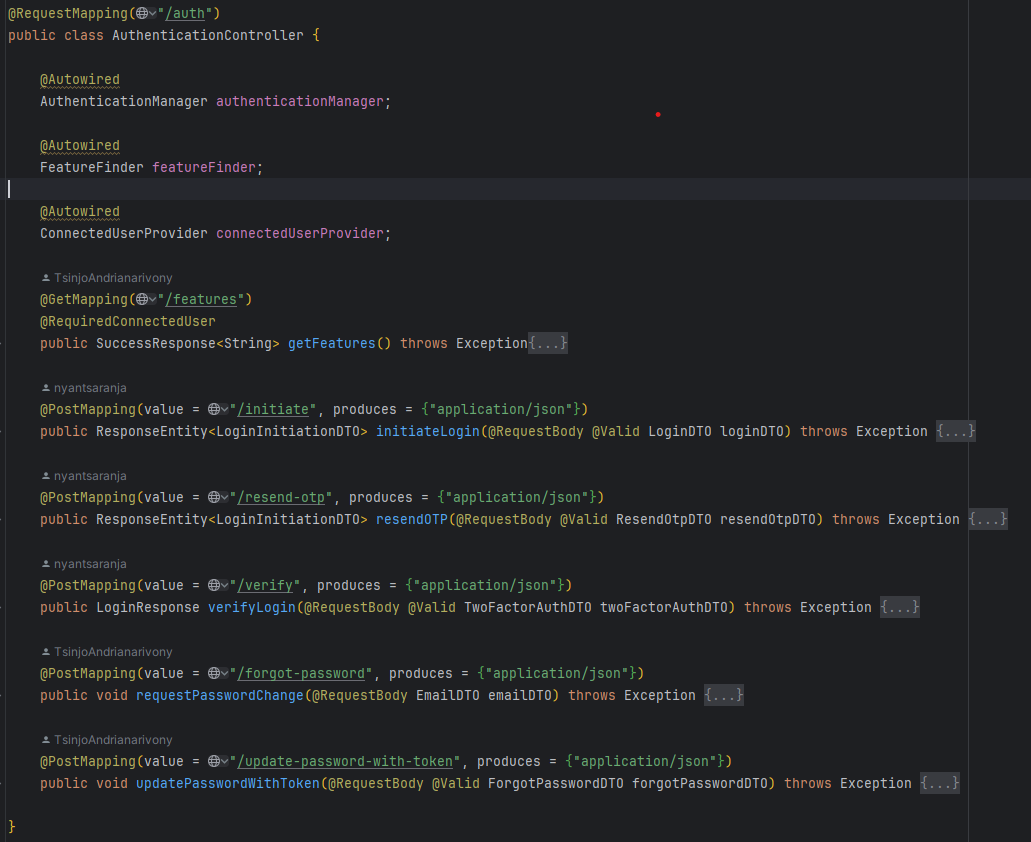
Login
Login will fail if :
- Wrong password or username
- Password-change is required
- User is disabled
- Password is expired
- Wrong OTP provided if MFA is enabled
If login succeeds, a JWT Authentication token will be returned and will be required as Bearer token on each request to identify the user.
Forgot password
It will send a link that goes to the password-reset page to the user’s mail.
However, you need to configure the url template.
app:
  forgot-password:
    link:
      template: http://localhost:3000/authentication/forgot-password-update?token=%s
This is the default for development environment, but you need to configure it for production environment.
How to get the connected user
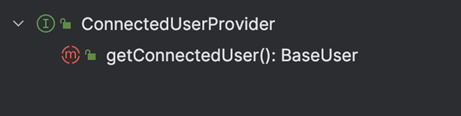
An interface ConnectedUserProvider can be injected where you want to use it. By default, you will get an instance of BaseUser which contains only the privileges of the user but you can cast it to AppUser to get more information about the connected user.
Authorization
Each user has a set of privileges, and each privilege is linked with features. on the backend side, a feature can be translated to a function.
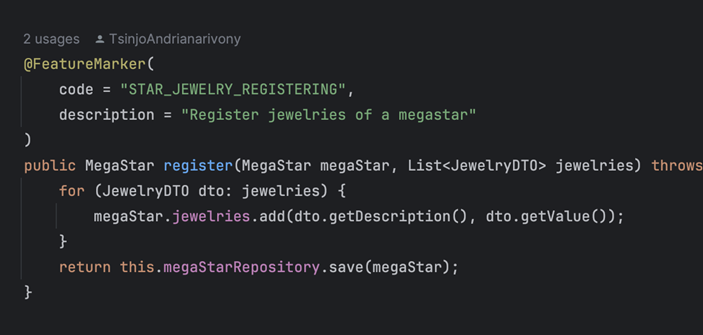
To mark a function as a feature, you need to annotate your function with @FeatureMarker() and give a code and description.
Only the functions present in Controllers, Repositories and Services can be marked as features.